
Introducing Territory Builder: Build and Publish Account Books in ChatAE
The problem with territory planning today
Every quarter, sales leaders face the same exercise: divide accounts among reps so everyone has a fair shot at quota.
The work usually looks like this. Export accounts from the CRM. Research new companies in a browser. Score them in a spreadsheet. Debate allocations over email. Drop the result into a shared doc and hope the data hasn't gone stale by the time you're done.
The bigger problem isn't the manual work — it's what gets lost along the way. The research you did to evaluate accounts doesn't travel with the assignments. The rationale for who got what lives in someone's head. And by the time books are finalized, reps are starting with a list of company names instead of context they can act on.
Territory Builder is designed to close that gap.
What Territory Builder does
Territory Builder is a workspace inside ChatAE where you can build account books from start to finish — combining existing accounts with new prospects, researching and scoring them, planning balanced books across your team, and publishing assignments so reps can start working immediately.
Bring accounts in
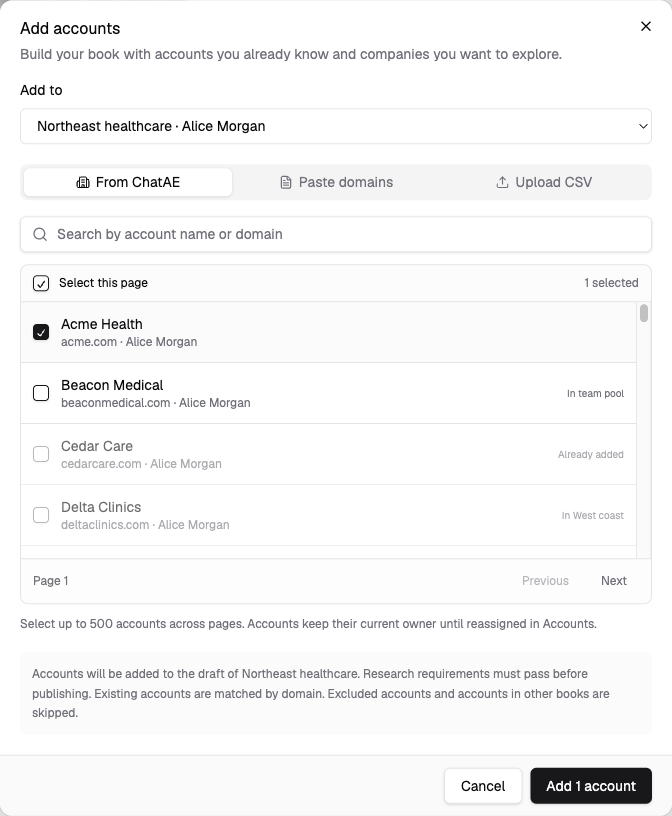
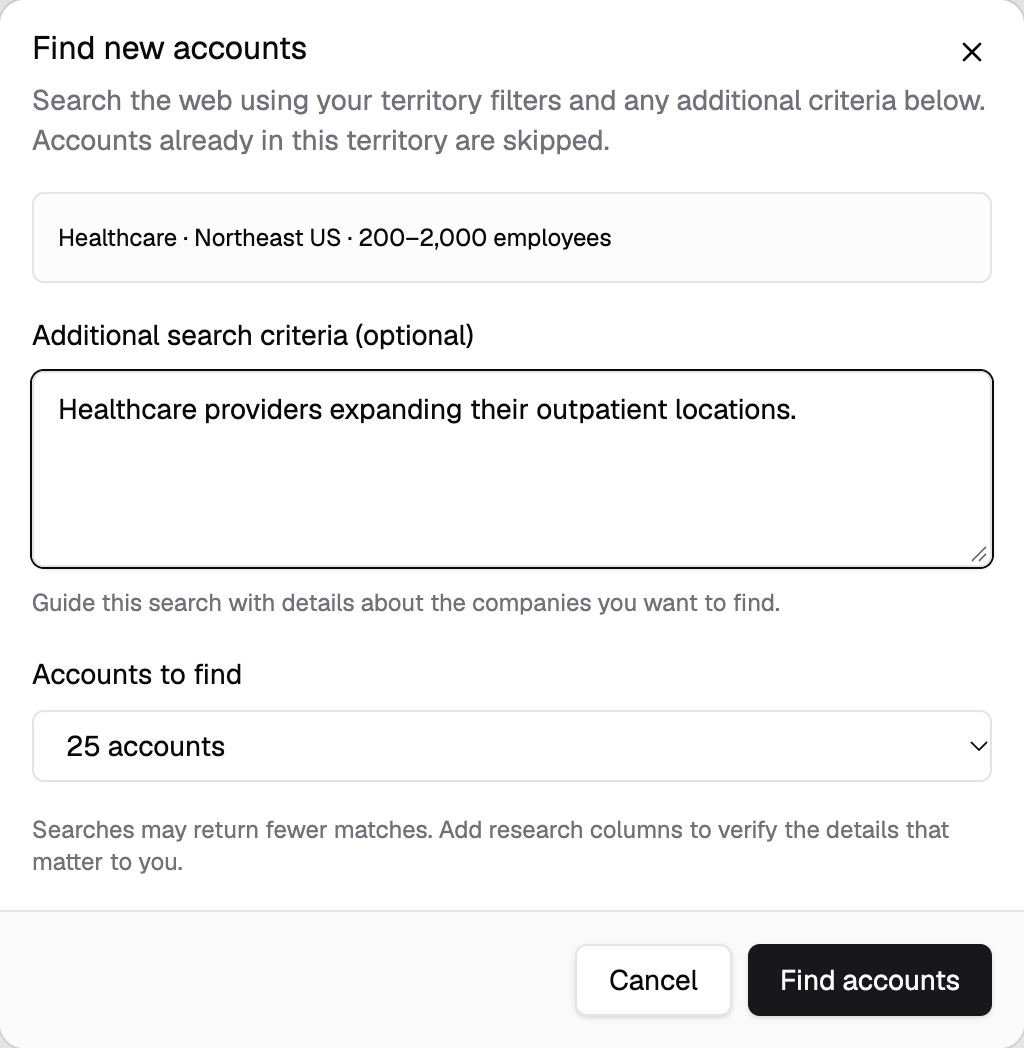
Start with accounts already in ChatAE, or add new ones by pasting domains, uploading a CSV, or running a discovery search filtered by company characteristics like industry, employee count, and location. You can combine existing customers, open opportunities, and net-new targets in a single draft.
Adding companies to a territory doesn't automatically trigger full account research — you decide when and how research runs.
Research and prioritize
Once accounts are in the workspace, fill in what you need to know. View headquarters, employee counts, and industry. Enrich missing details or correct them manually. Add research columns to answer planning-specific questions — whether a company uses a competitor's product, has recently raised funding, or fits a particular market segment.
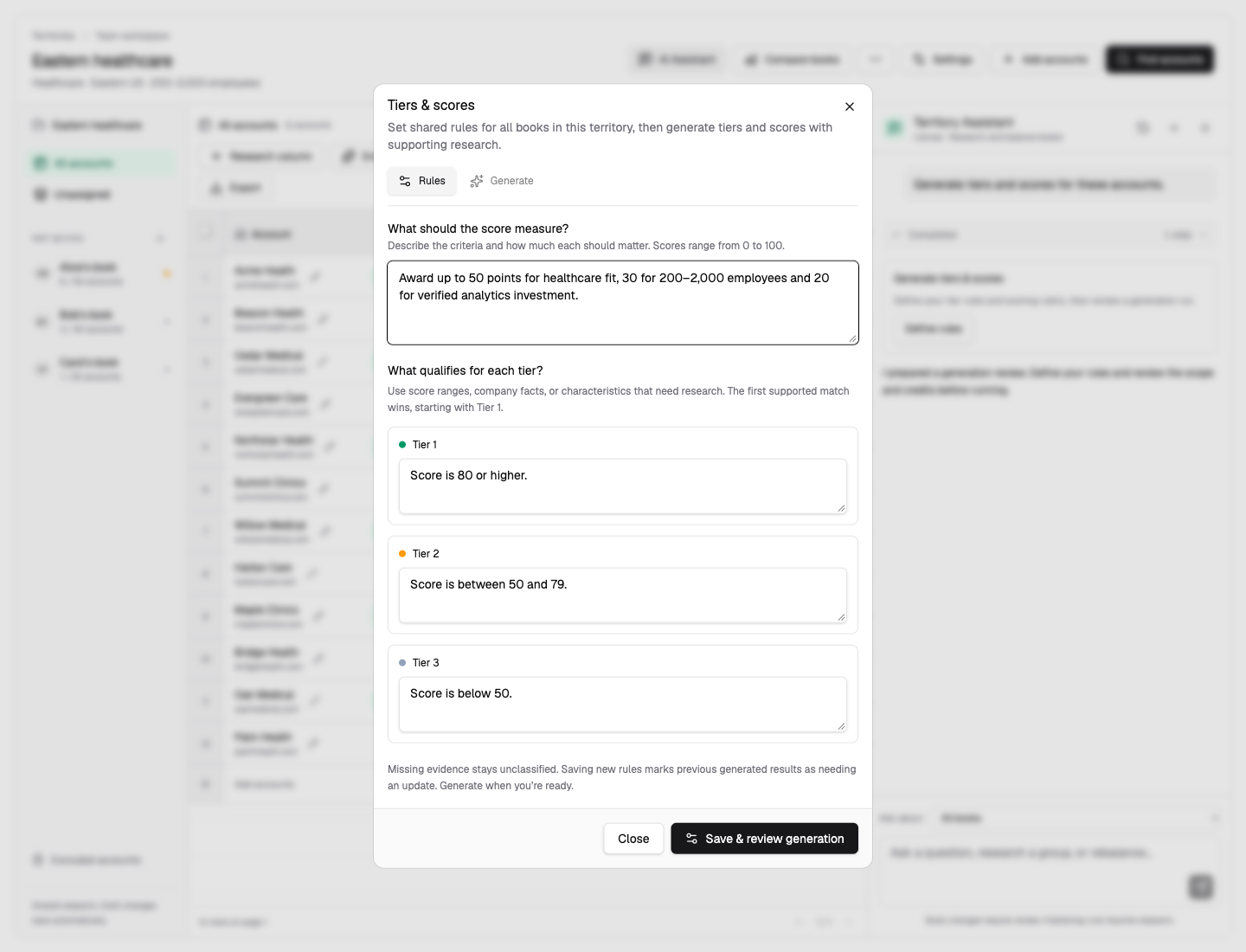
Define rules for account tiers, choose ChatAE's existing Account Score or build a custom scoring model, and generate tiers and scores across the full list. The result is a structured view of which accounts matter most and why, rather than a gut-feel ranking in a spreadsheet.
Account scoring built into territory planning
Territory Builder includes ChatAE Account Score — a 0–100 score generated from your configured research triggers, not just firmographics. Every account in the territory gets scored based on what the research actually found: strategic fit, buying signals, competitive positioning, and more.
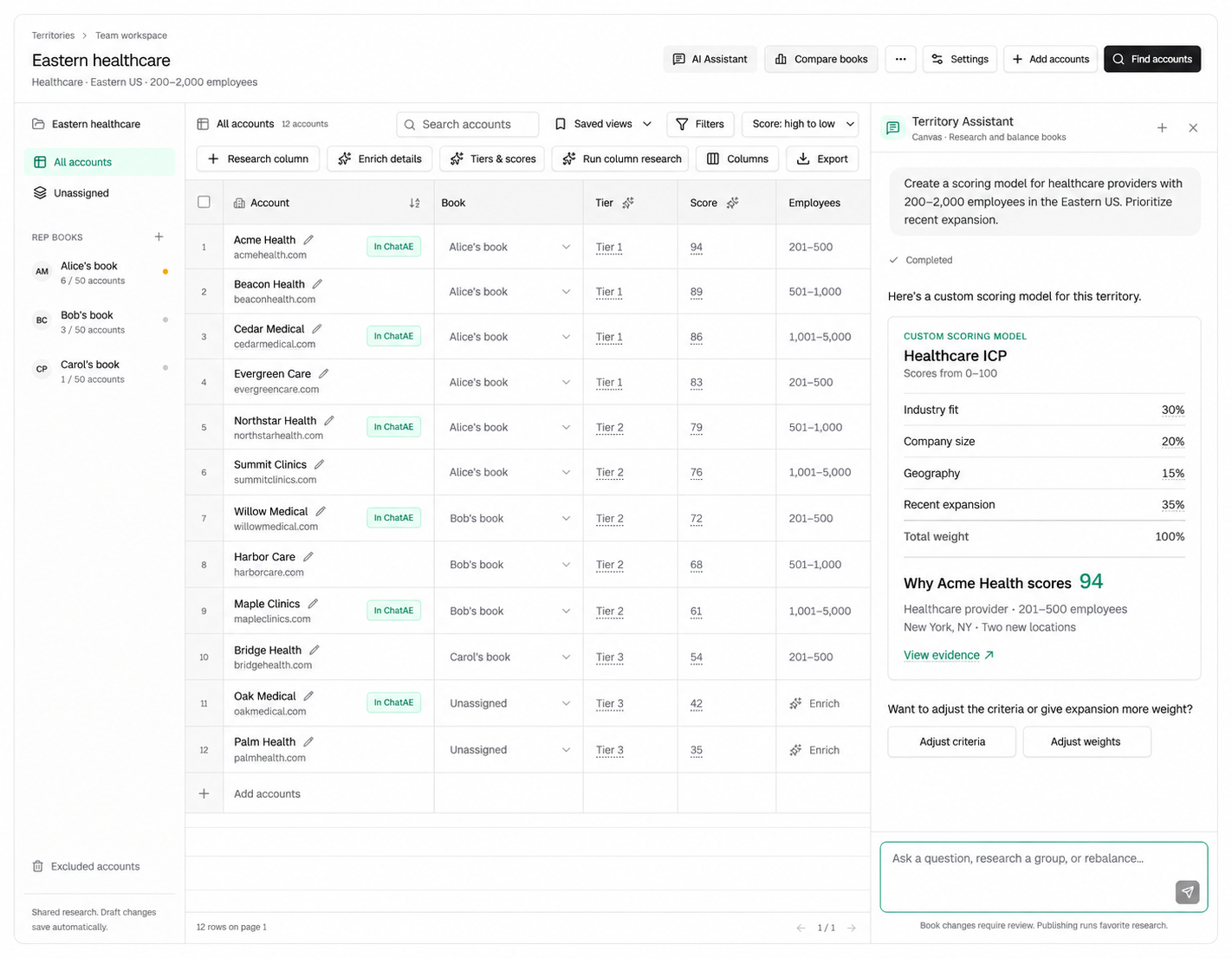
You can also build a custom scoring model directly in Territory Builder. Define your own criteria and weights — industry fit, company size, geography, recent expansion — and generate scores across every account in the draft. Set tier rules that map score ranges to Tier 1, 2, and 3, then use those tiers to balance books across reps.
Compare, balance, and adjust with an AI assistant
Assign accounts to reps and compare their books side by side. Set capacity targets, lock key accounts to protect assignments, and rebalance using geography, company size, tier, score, or any combination. Review assignment history and undo changes that don't work.
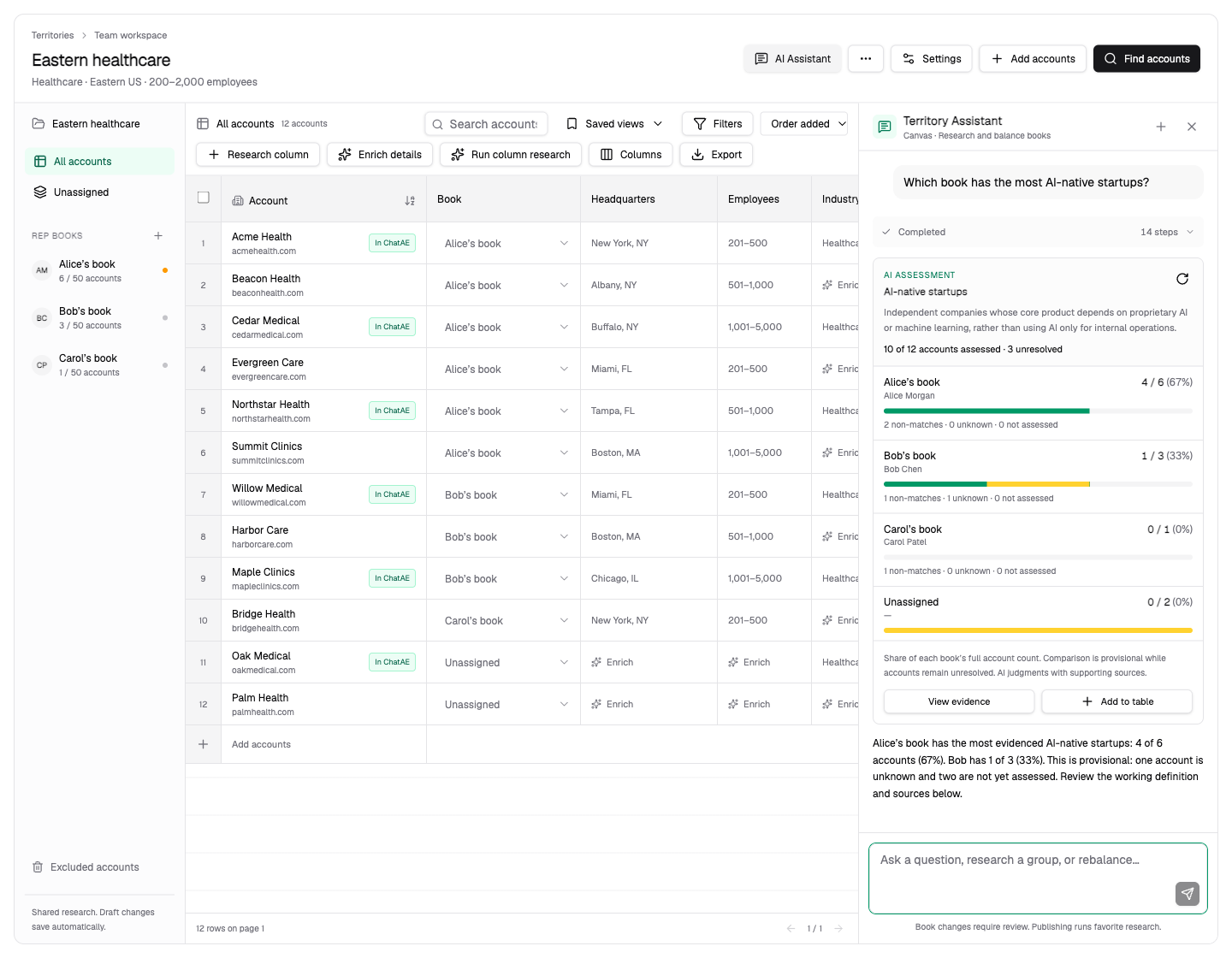
The workspace includes a Canvas-powered AI assistant that can analyze accounts in your territory and research broader questions that aren't captured in a column.
Ask "Which book has the most AI-native startups?" and the assistant researches the companies in each book, presents findings with supporting evidence, and shows how the results compare across reps. If evidence is insufficient for a particular company, it says so — you get honest assessments, not forced classifications.
Want to adjust? Ask the assistant to propose changes: "Move the Florida accounts from Alex's book to Jordan's" or "Evenly distribute accounts by headquarters location." Proposed moves are shown for your review before anything is applied. You stay in control of the final assignments — the assistant handles the analysis and legwork.
Publish and go
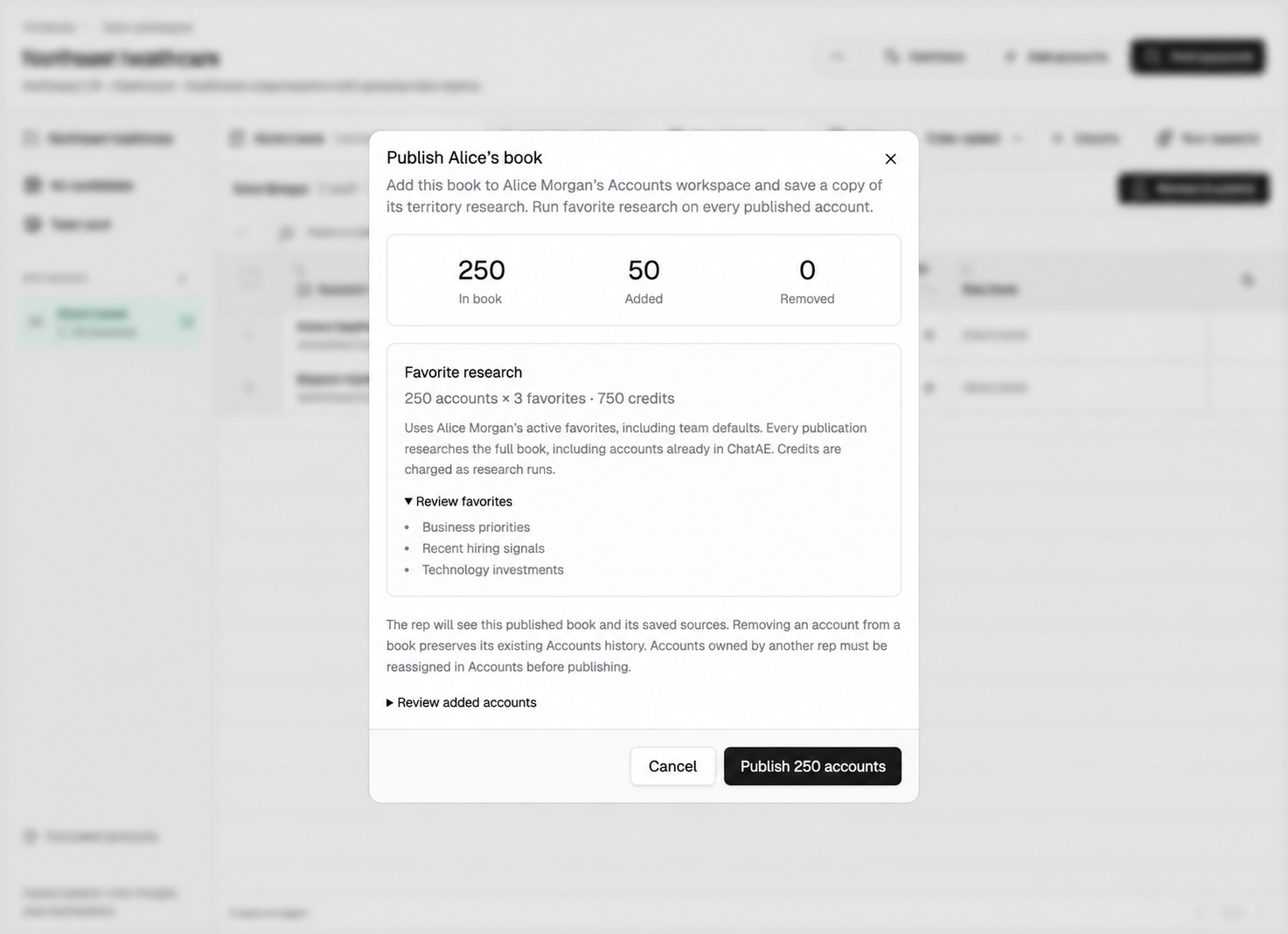
When books are ready, publish them. Each rep's assigned accounts appear in their Accounts workspace with research queued using their configured research triggers. Reps start day one with context, not a cold list.
Multiple admins can edit the same draft territory before publication. Managers see territories according to their reporting hierarchy. Reps see their own published books. Research uses ChatAE's credit system.
Connect to your CRM and other systems
Territory Builder works alongside your CRM, not in place of it. Pull account lists from Salesforce or HubSpot into a territory draft, research and score them inside ChatAE, then publish. When you publish, books sync back into your CRM — account ownership updates automatically, and new accounts and contacts flow in with their research, enrichment data, and scores already attached.
For teams that need to push data into other systems — data warehouses, BI tools, or internal platforms — the ChatAE Data Feed API provides programmatic access to account scores, research results, and enrichment data. Use it to keep scoring models current across every system in your stack, not just your CRM.
What this looks like in practice
Say you're a VP of Sales with four AEs covering the Mid-Atlantic. You want to rebuild books for next quarter and add new prospects to the mix.
Pull in the 120 accounts already assigned across the team. Run a discovery search filtered to software companies with 200–2,000 employees headquartered in Virginia, Maryland, and DC. Review the results and add 30 new companies to the draft.
Now you have 150 accounts in one view. Add a research column for "primary technology platform" and generate account tiers based on employee count, industry fit, and ChatAE Account Score. Assign accounts across the four reps, balancing by tier and geography.
Ask the assistant: "How are tiers distributed across reps?" It shows that one rep has nearly all the Tier 1 accounts and another has none. Ask it to rebalance Tier 1 accounts evenly. It proposes a set of moves. Review them, approve most, lock your two largest renewals in place, and publish.
Each rep opens ChatAE the next morning and sees their updated book with research already queuing. They know their accounts, they know why they were assigned, and they have the context to start working.
See Territory Builder in action
Territory Builder is rolling out to organizations now. If you'd like to see how it works with your team's accounts, request a demo and we'll walk you through it.